
2021 AIRSTREAM Flying Cloud Problems & Complaints
Real owner complaints and problems reported to the National Highway Traffic Safety Administration (NHTSA). View common issues by component.
VIN Decoder
Complaints by Component
AIRSTREAM Flying Cloud VIN Decoder — Free VIN Check Video Guide
Watch our quick AIRSTREAM Flying Cloud VIN decoder walkthrough. Learn how to decode any AIRSTREAM Flying Cloud VIN number to get full vehicle history, recall alerts, specifications, fuel economy (MPG), safety ratings, and known problems — completely free on ForCar.org.
Where to Find VIN for Problems Check
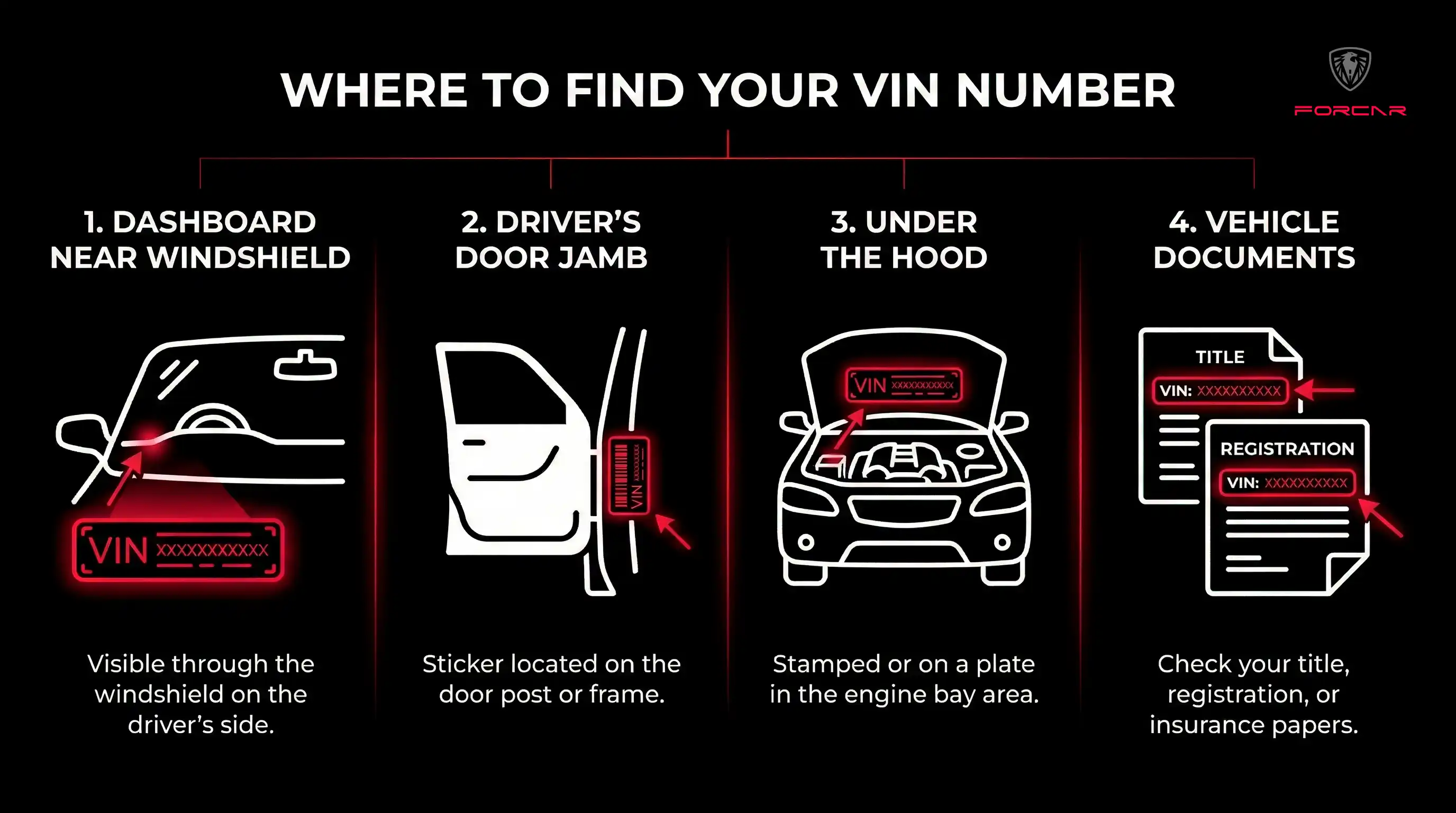
To check for problems and complaints on your 2021 AIRSTREAM Flying Cloud, you'll need the VIN number. Find your VIN in one of these 4 common locations.
Understanding VIN Structure for Problem Reports
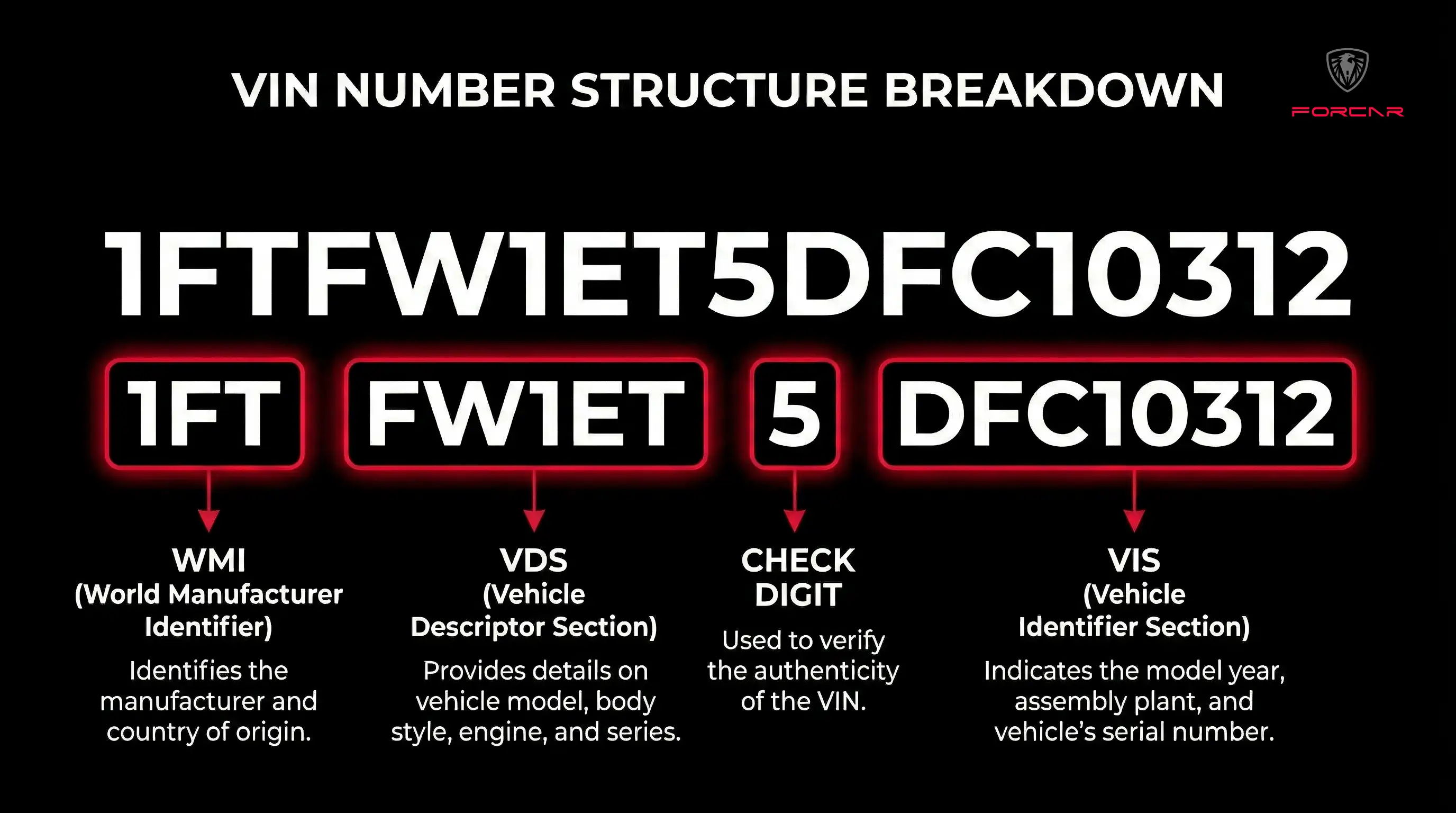
Each character in your 2021 AIRSTREAM Flying Cloud 17-digit VIN helps identify specific complaints and problems affecting your vehicle model.
How to Check 2021 AIRSTREAM Flying Cloud Problems in 3 Steps
Locate Your VIN
Find the 17-character VIN on your 2021 AIRSTREAM Flying Cloud dashboard (visible through windshield), door jamb, engine bay, or vehicle documents.
Review by Component
Browse owner-reported complaints organized by vehicle component (engine, transmission, brakes, electrical) to identify common issues and problem patterns for this model year.
Check Safety Issues
Review crash and fire incidents for each component to assess safety concerns. Contact your AIRSTREAM dealer or report problems to NHTSA at SaferCar.gov.
Frequently Asked Questions
How many problems does the 2021 AIRSTREAM Flying Cloud have?
The 2021 AIRSTREAM Flying Cloud currently has 1 owner-reported complaint according to NHTSA database. These complaints are organized by component to help identify common issues.
What are the most common problems with 2021 AIRSTREAM Flying Cloud?
The most common problems reported for the 2021 AIRSTREAM Flying Cloud are organized by component above. Each component section shows owner-reported issues, crash reports, and fire incidents to help identify patterns and problem areas.
Where does this 2021 AIRSTREAM Flying Cloud problem data come from?
All problem and complaint data for the 2021 AIRSTREAM Flying Cloud comes directly from the National Highway Traffic Safety Administration (NHTSA) database. These are real complaints submitted by actual vehicle owners.
How do I report problems with my 2021 AIRSTREAM Flying Cloud?
You can report safety problems with your 2021 AIRSTREAM Flying Cloud directly to NHTSA at SaferCar.gov or call 1-888-327-4236. Your complaint helps identify patterns and may lead to recalls or investigations.
Where can I find my VIN to check problems?
Your 2021 AIRSTREAM Flying Cloud VIN is located in 4 places: (1) Dashboard near windshield on driver's side, (2) Driver's door jamb sticker, (3) Engine bay, (4) Vehicle registration and insurance documents.
Is the 2021 AIRSTREAM Flying Cloud reliable?
Reliability can be assessed by reviewing the number and severity of owner complaints for the 2021 AIRSTREAM Flying Cloud. Check complaints by component, crash reports, and fire incidents above to evaluate potential issues and problem patterns.